This feature allows for adding special handling notes or comments on orders which will be printed on kitchen printers as well as KDS.
To add comments, go to the navigation bar--> Configurations--> Receipt --> Global Comments --> Add Comment. Enter the comment in the field provided and click save. You can add multiple comments here.
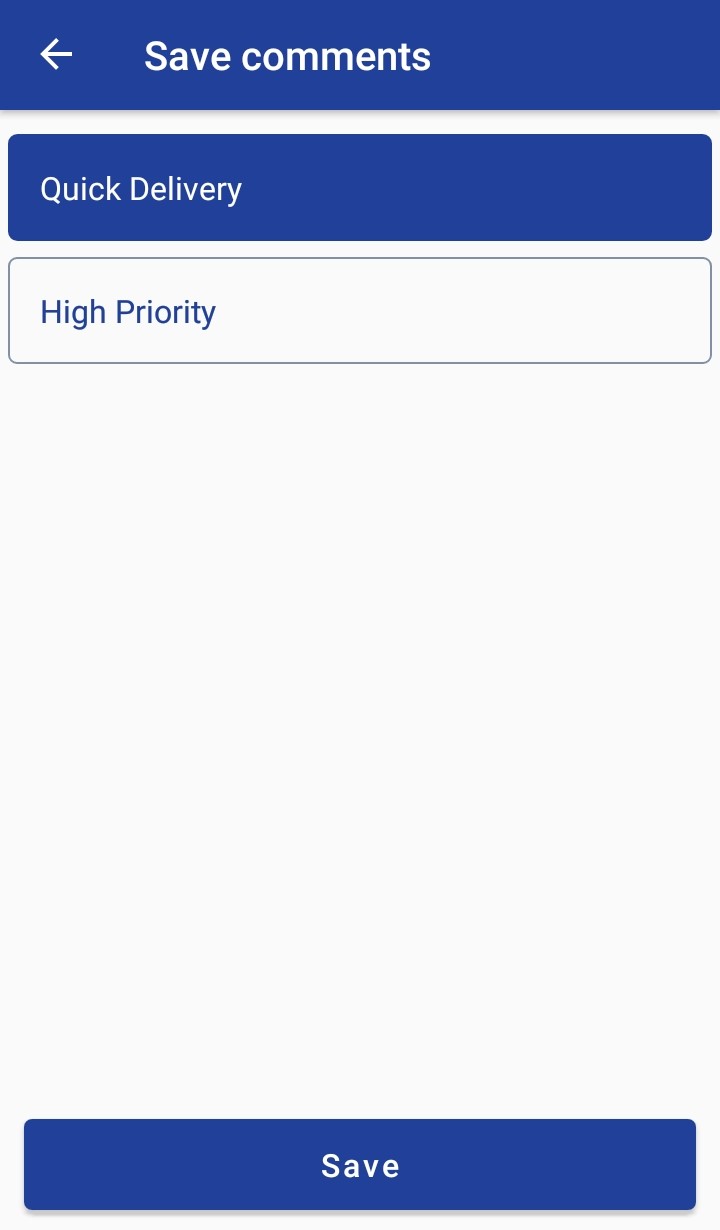
Before placing an order, to add a comment to the sale, click on the More Options button(3 dots) → Add Comment → Enter the comments in the field provided or Select the global comments from the list → Add Comment. Select the comment to be added and save. Multiple selections of comments are available.
When you place the order this comment will be added to the order details and send to the kitchen.
Articles in this section
- Zebra RFID Checkout Support in 6IXPOS
- JPMorgan Chase Payment Processor in 6ixPOS
- Tender Rounding in POS
- Phone Order Checkout in 6ixPOS
- FreedomPay in 6ixPOS
- ValorPay Integration on 6ixPOS
- CRM Capture in 6ixPOS
- Suspend & Resume Transaction
- Serialization in 6ixPOS
- Stripe Terminal Integration on 6ixPOS
Comments
Please sign in to leave a comment.