Merchants often end up discarding products as their expiry dates have passed and they were not made aware that a product in their inventory was getting close to its expiry date. This report provides you with the expiry dates of products you have in your inventory.
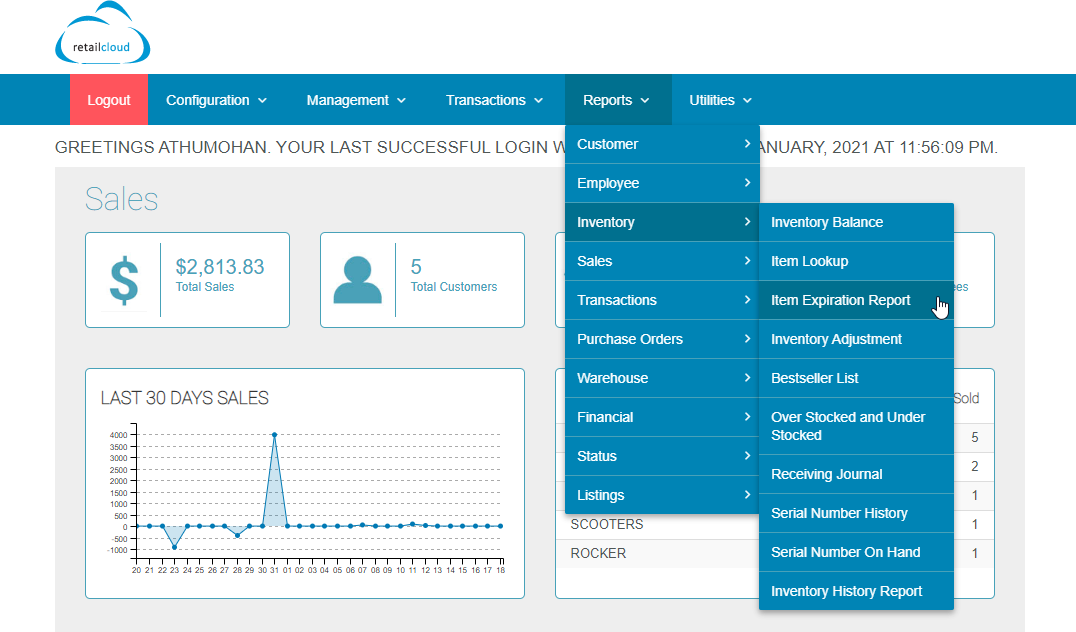
Go to CAS --> Reports --> Inventory--> Item Expiration Report
Shows items in your inventory whose expiration dates fall within a certain period. The list shows the item that will expire in a given time period. Show Expired items in Red color.
You can specify the start and end dates in the report by setting filters. You can select the date range by selecting the From Date and To Date Calendar and entering the appropriate dates.
To pull items by Vendor/Master SKU enter the details in the fields and click on the Search button.
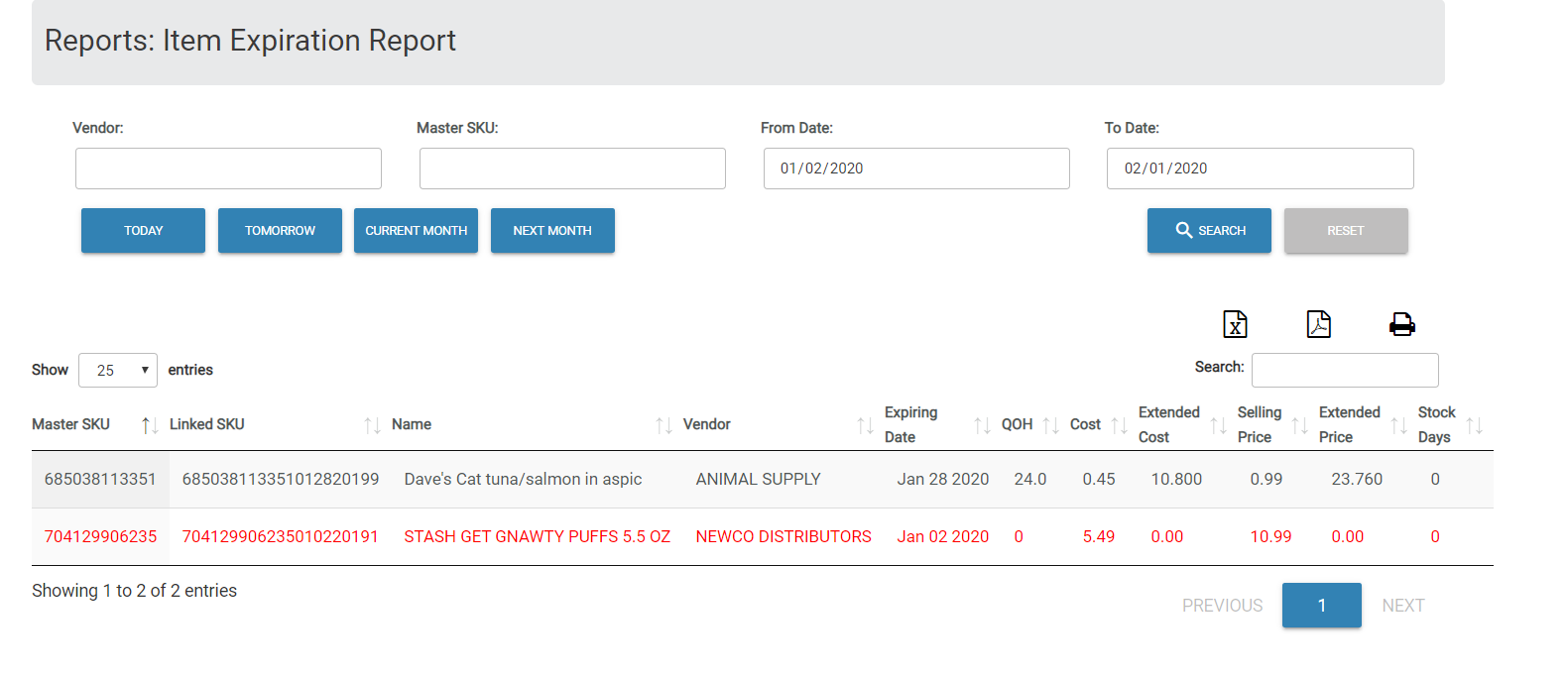
The user then can generate the report or download the CSV/pdf file and print it. The generated report contains the Master SKUs, Linked SKU, Name, Vendor, Expiring Date, QOH, Cost, Extended Cost, Selling Price, Extended Price & Stock Days of each item.
Articles in this section
- Central Administration System
- Configuration
- Company Details
- Company Information
- Payroll Settings
- Merchant Email Configuration
- Invoice Setup
- QSR
- Payment Settings
Comments
Please sign in to leave a comment.