Overview
Go to Management --> Hierarchy --> Zone
A zone is an assigned area that may contain multiple stores. Multiple stores can be selected by pressing the control key and then selecting the store's user wishes to group as a zone.
Details

Each zone must have its own unique Name. This will show up in all reports and filters so you should name them carefully. If you try to create a zone with an existing name a popup will be displayed asking you to confirm this activity.
The zone has to be assigned to a specific Venue. Zones cannot consist of stores in multiple venues.
Each zone must be assigned to an Administrative Employee who has a Venue Manager role. If you have not already created an employee with this role you must do so first. The Zone Manager that is assigned to a zone may be modified at any time.
Select the Stores that make up the zone, to select multiple stores press the "Control" key and click on the store. Stores within a zone can be modified at any time. A store can be in multiple zones if necessary.
Modify Zone
Go to Management --> Hierarchy --> Modify Hierarchy
This is used to modify Zone settings. The enterprise hierarchy consists of all venues, warehouses, zones, stores (including virtual stores), registers, and reporting groups. This is also where you would be able to assign an administrative employee to each enterprise.
Select the Type of hierarchy as Zone from the dropdown, the list will include all Zones that have been created. This will return the appropriate list of items. Select the Zone to be modified and click Find.
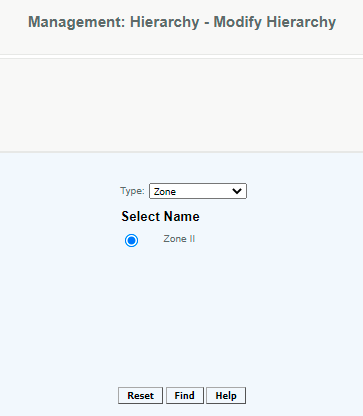
This will navigate you to a screen similar to the screens used for creating the Zone. After all the changes have been made, select Modify to save the changes.
Access
Access to this function at an enterprise level is limited by default to the System Administrator and Financial users only. Accounting, store managers, warehouse general managers as well as zone managers, and human resource managers may modify zone settings at Venues or Stores assigned to them.
Articles in this section
- Central Administration System
- Configuration
- Company Details
- Company Information
- Payroll Settings
- Merchant Email Configuration
- Invoice Setup
- QSR
- Payment Settings
Comments
Please sign in to leave a comment.