In order to modify Size Brick, access CAS --> Management --> Inventory --> Modify Inventory and select size brick that you want to modify into and the following screen will be displayed.
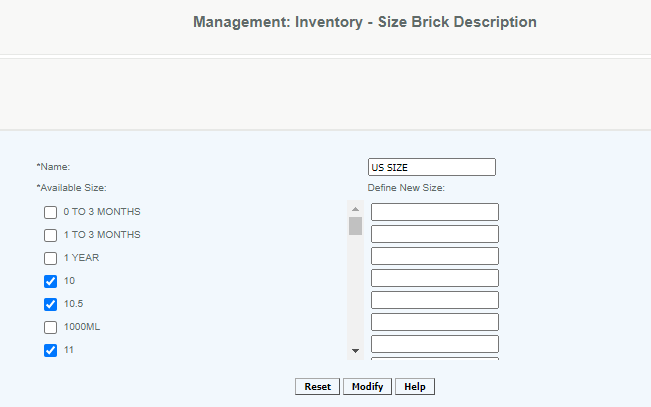
Select from the available size or define new size and then click Modify to save.
Articles in this section
- Central Administration System
- Configuration
- Company Details
- Company Information
- Payroll Settings
- Merchant Email Configuration
- Invoice Setup
- QSR
- Payment Settings
Comments
Please sign in to leave a comment.