retailcloud now supports enhanced tender configuration that allows merchants to offer bank-specific promotions, including discounts or coupons based on the customer’s card issuing bank and card network.
This enhancement enables merchants to run targeted promotions and attract customers using specific payment methods.
Merchants can now:
Offer exclusive discounts for cards issued by a selected bank.
Apply either a direct discount or an existing coupon when an eligible card is used.
Restrict promotions by card network (Visa, Amex, Discover, etc.).
Classify custom tenders correctly for reporting purposes.
Manage banks and card identification rules directly within Settings.
Bank Setup in Settings
A new Bank Management section is available under:
Settings → Payment Settings → Bank
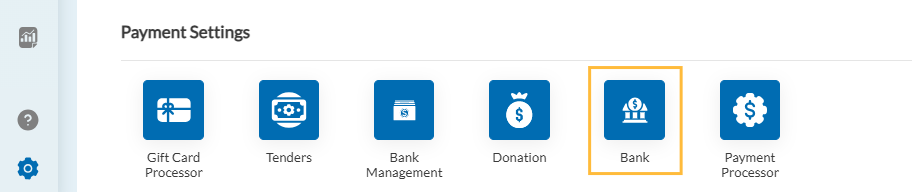
Merchants can define bank details including:
Bank Name
Bank Code
Country
Card Network (MASTERCARD, VISA, AMERICAN EXPRESS, DISCOVER)
Starting BIN Range
Ending BIN Range
The BIN range helps identify whether a payment card belongs to a specific issuing bank.
Once a bank is configured here, it automatically becomes available in the Tender Configuration screen.
Bank Selection in Tender Setup
When creating or editing a custom tender, a new field labeled “Bank” is available.
Merchants can select one or more banks.
The Bank dropdown is dynamically populated from the Bank Management section in Settings.
This allows promotions to be applied only when a card issued by the selected bank is used.
Promotion Type Configuration
A new section labeled “Select a Promotion Type” is available within the tender setup.
Merchants can choose between:
Option 1: Discount
If “Discount” is selected, merchants can configure:
Percentage-based discount
orFlat amount discount
The discount is automatically applied when the eligible bank card is used.
Option 2: Coupon
If “Coupon” is selected:
A dropdown appears listing available coupons configured in the system.
The selected coupon will automatically apply when the eligible bank card is used.
This allows seamless integration with the existing coupon management module.
Card Network Selection (Cards / Card Network)
“Cards" (Card Network) include:
Supports selection of configured card networks (Visa, Mastercard, Amex, Discover, etc.).
Allows merchants to define which card networks qualify for the promotion.
If no networks are configured, the dropdown will display “No Items Found.”
This ensures promotions apply only to the intended card types.
Add Bank Details in Custom Tender
Within custom tender configuration, merchants can also:
Add bank details
View configured banks (name/code are non-editable)
Delete banks if needed
This provides flexibility in managing bank-specific promotions.
Reporting Tender Classification
A new dropdown labeled “Reporting Tender” allows merchants to classify the custom tender under standard reporting categories.
Available options include:
Cash
Credit
Debit
Check
Gift
Coupon
Store Credit
This ensures transactions appear correctly in financial and operational reports.
How It Works at POS
When a customer pays using a card:
The system checks:
Issuing bank (based on BIN range)
Card network (Visa, Amex, etc.)
If both match the configured tender setup:
The configured discount or coupon is automatically applied.
This process is seamless and requires no additional steps from the cashier.
The Card-Based Coupon and Bank-Specific Tender enhancement provides merchants with powerful tools to create targeted payment-based promotions. By allowing bank and card network validation, along with flexible discount or coupon application, this feature enables more strategic marketing campaigns while maintaining accurate reporting and operational control.
Articles in this section
- Item Import Field Descriptions
- Overview
- Merchant Onboarding
- Navigation Bar
- Reports
- Items
- Settings
- Dashboard Overview
- Company
- Register
Comments
Please sign in to leave a comment.