The Customer Notifications feature allows you to control how customers receive automated updates about their orders and invoices.
With this feature, you can decide:
- When a notification should be sent
- Which transaction event should trigger it
- Whether the customer should receive Email, SMS, or both
All messages are system-defined and automatically generated, ensuring a consistent and professional communication experience.
As orders move through fulfillment or invoices move through payment stages, customers often expect status updates.
This feature helps merchants automate those communications by allowing notification rules to be created based on: Order Source + Order Status or Invoice Status.
Instead of manually contacting customers, the system will automatically send the configured notification whenever the selected event occurs.
Navigate to: Settings → Customer Notifications
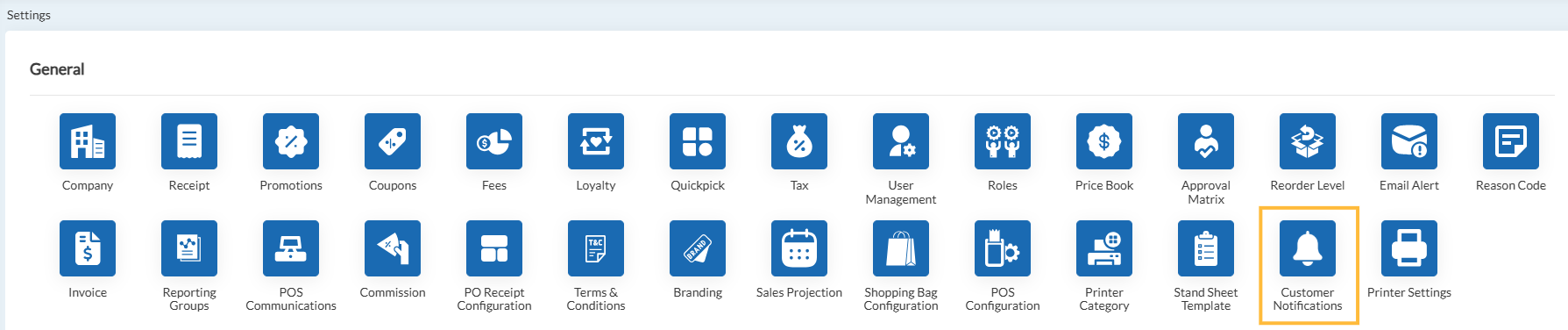
This section contains all notification rules and allows you to activate, deactivate, and configure each one.
There are two notification categories supported:
Order Notifications
Used to send customer updates based on order progress.
Supported Order Sources Type:
CTO
- Fanvista
- Shopify
- BigCommerce
- WooCommerce
- retailcloud Online
Supported Order Status Event Triggers:
- Initiated
- Sent for Processing
- Processing
- Ready
- Delivered
- Cancelled
- Returned
User can decide how the customers should receive the updates by choosing the delivery channels:
Email Notification
Enabling this toggle will send pre-defined read only emails to the customers.
SMS Notification
Enabling this toggle will send pre-defined read only SMS to the customers.
Invoice Notifications
Used to send customer updates based on invoice/payment progress.
Supported Invoice Status Triggers:
- Closed
- Cancelled
Click Save to store the notification preferences.
Once saved, the system will automatically monitor transactions and send notifications whenever the configured trigger occurs.
Articles in this section
- Item Import Field Descriptions
- Overview
- Merchant Onboarding
- Navigation Bar
- Reports
- Items
- Settings
- Dashboard Overview
- Company
- Register
Comments
Please sign in to leave a comment.