Search Item
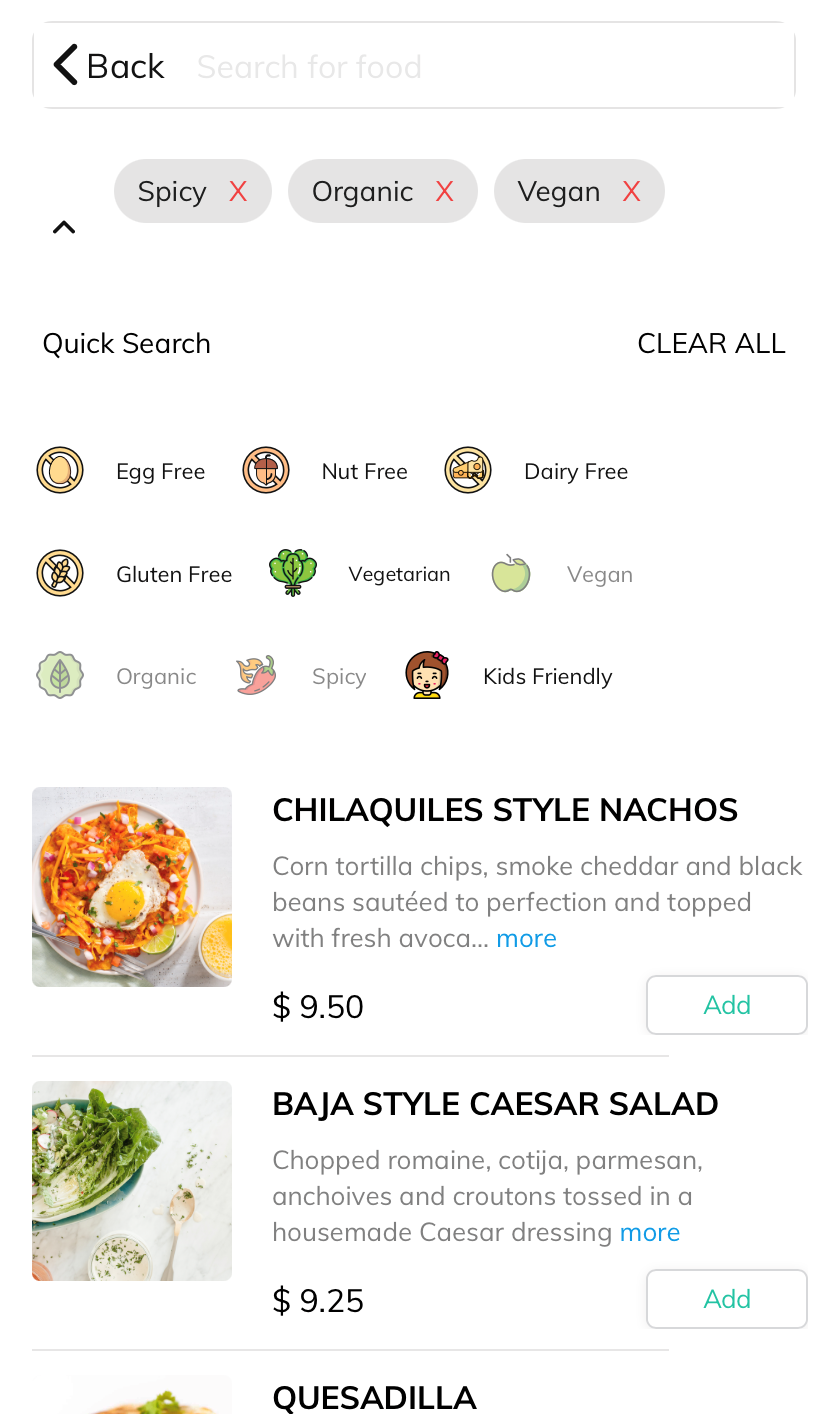
Your customers can search or filter your menus by choices such as Vegan or Gluten-free or any other keywords. You can search or filter your menus by choices such as Item Name/Ingredients/Description or any other keywords.


Quick Search
Quick Search / Emoji search help users quickly locate Items instantly by predefined keywords. Quick Search offers a search filter to limit search range and narrow down the search results. For example, if you are looking for a Vegan dish, you can just click on the Vegan keyword/emoji, which will display all the available vegan items.
Articles in this section
- Overview
- Tikt Merchant Portal
- Tikt Configurations
- Open Auths
- How to Add Transaction Fee?
- Pick-Up Orders
- Menu Creation & Setup
- How Tikt Works?
- Scan the QR Code on the Table
- Guest Count & Contact Tracing
Comments
Please sign in to leave a comment.