When the guest is ready to checkout, click on the CLOSE CHECK.
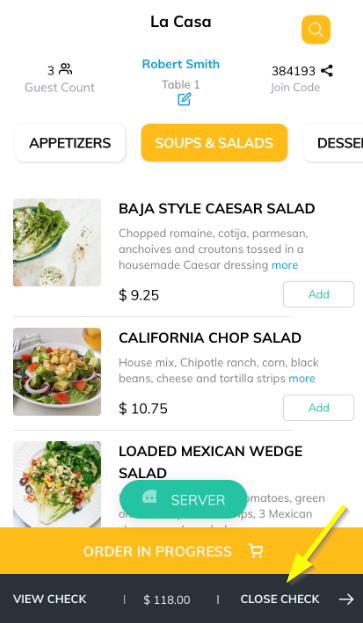
CLOSE CHECK button will take you to an Add Tip page where you can tip your server, you can select from the predefined tip amount/percentage or can enter the desired amount by selecting the 'Other' option.

Click on the Split Check button at the bottom of the page. You will be able to view the check by each guest. By clicking on the allow near each item you have the option to select the guest to assign the item or select multiple guests to split the item.
You can even share the split receipt to any desired email by proceeding with the Share Receipt button.
Articles in this section
- Overview
- Tikt Merchant Portal
- Tikt Configurations
- Open Auths
- How to Add Transaction Fee?
- Pick-Up Orders
- Menu Creation & Setup
- How Tikt Works?
- Scan the QR Code on the Table
- Guest Count & Contact Tracing
Comments
Please sign in to leave a comment.