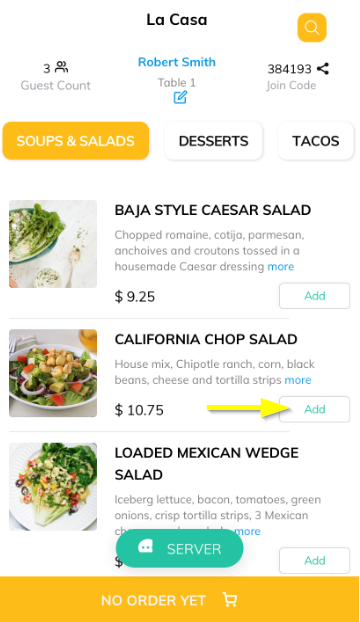
Browsing the menu categories, your guests can simply click on the ADD button to add items to the cart.
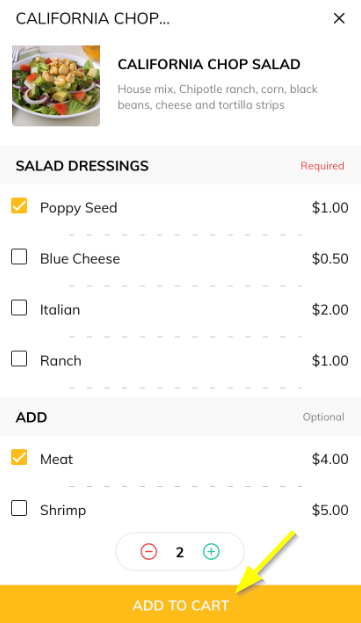
Items with modifiers will be taken to another screen for choosing the options. With item modifiers, you can sell items that are customizable or offer additional choices.
When a guest views your item page, they’ll see the modifiers and options you added and will be able to choose what they want before adding the item to the cart.
Click ADD TO CART button.
Articles in this section
- Overview
- Tikt Merchant Portal
- Tikt Configurations
- Open Auths
- How to Add Transaction Fee?
- Pick-Up Orders
- Menu Creation & Setup
- How Tikt Works?
- Scan the QR Code on the Table
- Guest Count & Contact Tracing
Comments
Please sign in to leave a comment.