Group ordering allows multiple people to add items to the same order.
If you are the Primary Guest, you can find your group code on top of your menu page soon after you get into the Tikt application. If you have other guests (secondary guests) to join your table they can simply scan the same QR code on your table and enter the group code to get in and start placing orders.
How to Share Group Codes?
Navigate to the top of the page and click on Group Code.
You have the option to copy the group code and also the Share button- this will give you a link to send to everyone in your group.
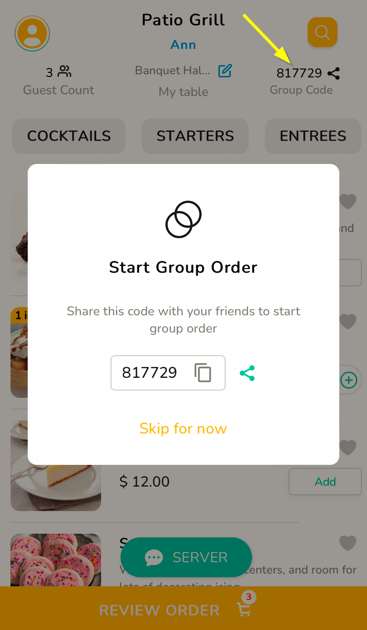
Once everyone gets into the app, each guest can add their item to the cart.
When everyone else has added their items, the primary guests can view and place the order.
Note: Only primary guests have the option to place orders.
What if you can't find the join code?
You can contact the Server for getting the Join Code in case you do not find it.
Servers can know the guest information like Guest Name, Guest Counts and JoinCodes
How does Tikt make group ordering easy?
- Organizes the way of taking orders.
- People know what others are ordering ( As food is going to be shared, this is important info to be shared)
- Guests don't order the same dish repeatedly due to a lack of visibility of orders.
People have simple questions like did anybody order pizza before me or Am I just ordering too much and also like what others are ordering. - Tikt resolves everything
How does Tikt checkout group order
Consider a table with 10 guests and everybody is paying for their own in the middle of a party. Don't you think the payment hassle will spoil the party vibes for them? So for those 10 guests, our primary guest( the one who first joined the table) will pay for it initially so that a large section of people have a good time.
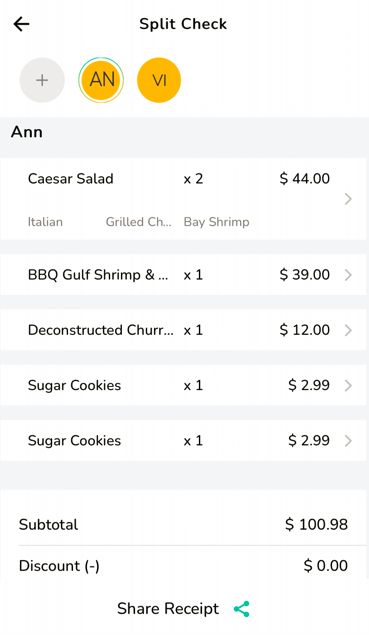
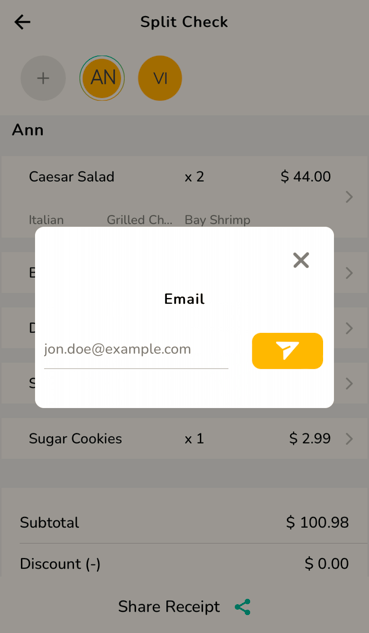
You have the option to view and share the split check while checking out.
Click here to know more about closing check
Articles in this section
- Overview
- Tikt Merchant Portal
- Tikt Configurations
- Open Auths
- How to Add Transaction Fee?
- Pick-Up Orders
- Menu Creation & Setup
- How Tikt Works?
- Scan the QR Code on the Table
- Guest Count & Contact Tracing
Comments
Please sign in to leave a comment.