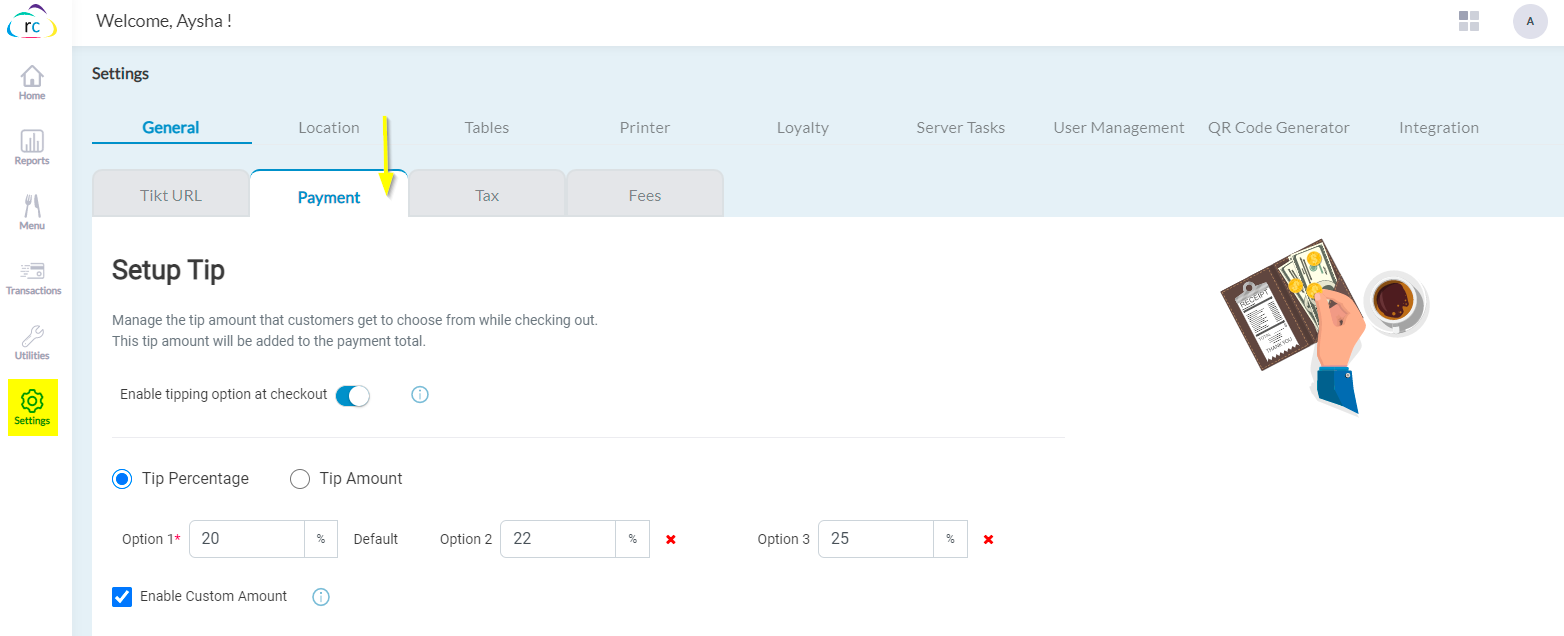
Manage the tip amount that customers get to choose from while checking out on Tikt. This tip amount will be added to the payment total.
Navigate to Settings → General → Payment → Setup Tip
Toggle the button to enable the tipping option at checkout.
Articles in this section
- SuiteSpot Retail Merchandise Changes in Restaurant Portal
- Setup Gift Card Processor from Settings
- Discounts in Restaurant Portal
- Warehouse in Restaurant Portal
- Register in Restaurant Portal
- Venue in Restaurant Portal
- Venue Wizard in SuiteSpot
- Order Report and Kitchen Prep. Report Export
- CRM in Restaurant Portal
- Auths in SuiteSpot
Comments
Please sign in to leave a comment.